How to play PS5 games on PC — step by step
Five simple steps, from the game folder to playing on your PC. Every screenshot is from the app itself.
What you need before you start
A Windows 10 or 11 PC (64-bit)
With a Vulkan-capable graphics card and an up-to-date driver. The app checks your PC the first time you open it.
A decrypted copy of your own game
The right game folder has an eboot.bin file and an sce_sys folder, usually an sce_module folder too. If the files are encrypted, the app tells you right away.
Free disk space
An SSD is best, so the game loads faster.
The steps
- 1
Download and install the app
Download AnyPS5 Easy from this site and run the setup file. If the blue Windows message appears, click More info, then Run anyway — it shows for any new app. After that, the app updates itself automatically.
- 2
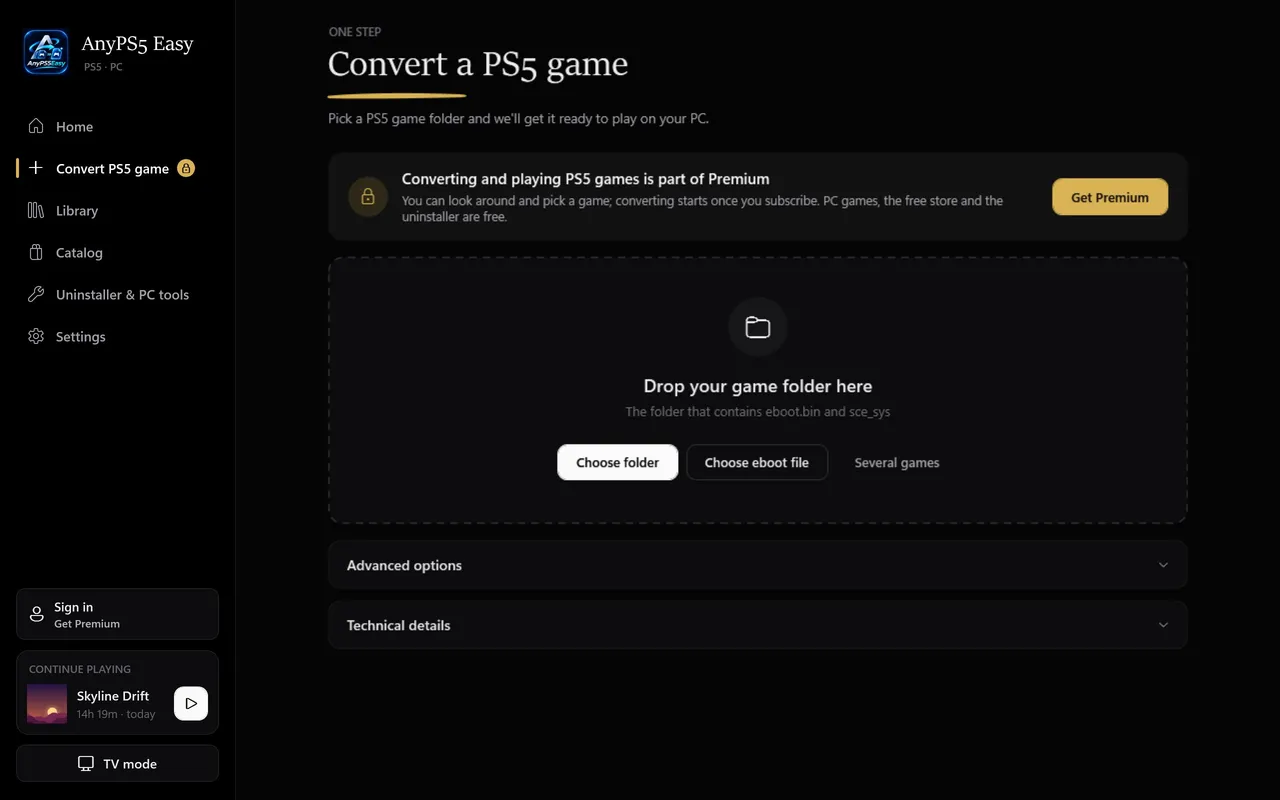
Open «Convert PS5 game» and pick the game
Click Choose folder and pick the game's main folder (the one with eboot.bin), or Choose eboot file, or just drag the folder onto the box. Several games converts a whole batch one after another.
- 3
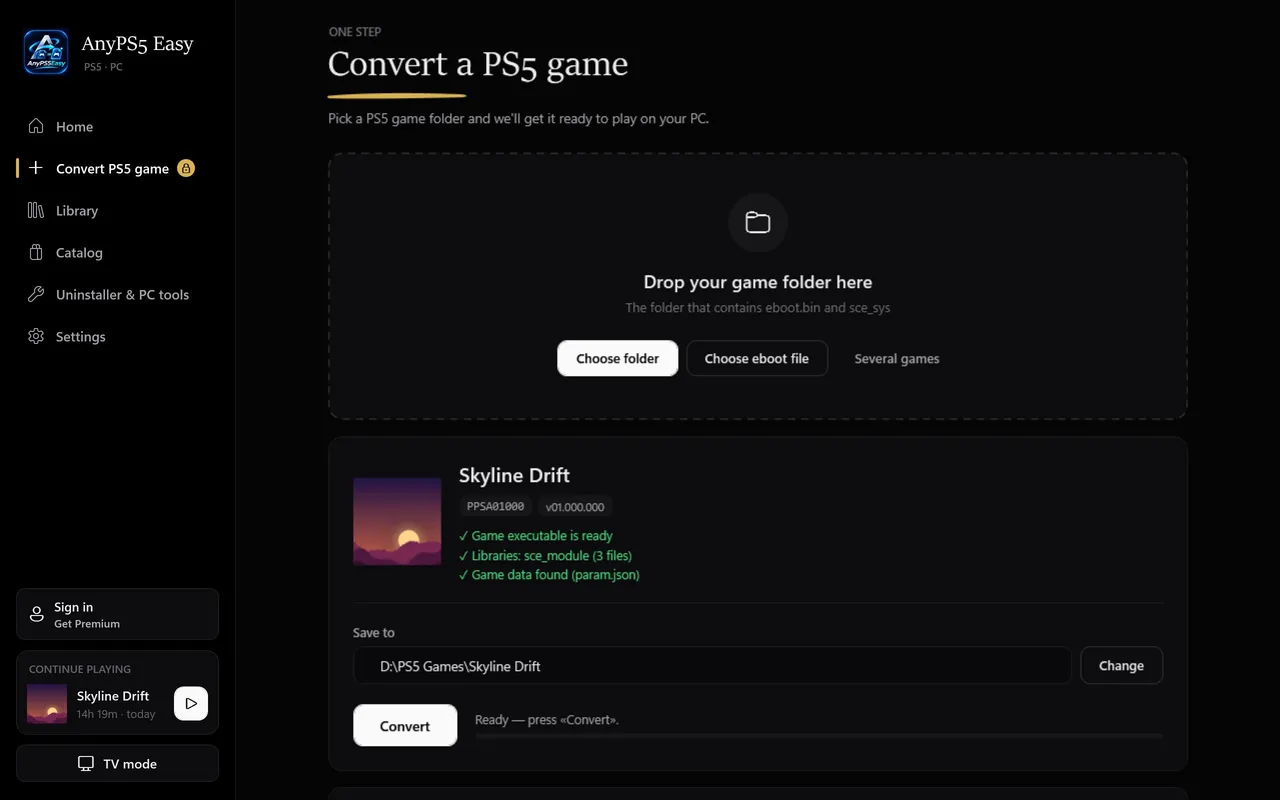
Check the game card and save location
The app reads the game and shows its name, cover and version, with ✓ marks for the game file, the libraries and the game data. Below that, pick where to save it.
- 4
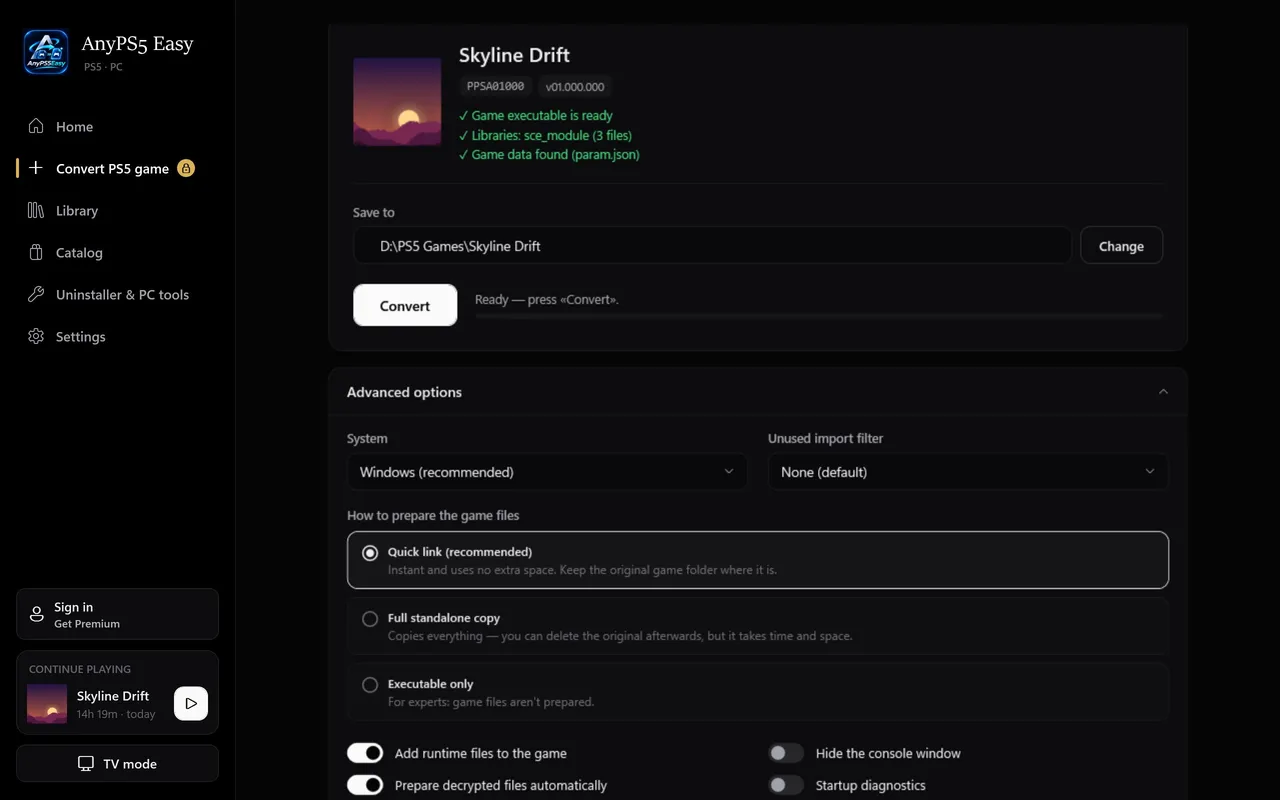
Pick the setup mode and click Convert
In Advanced options, Quick link is recommended — instant and no extra space, just don't delete the original folder. Choose Full copy if you want to delete the original afterwards. Click Convert and watch the progress bar.
- 5
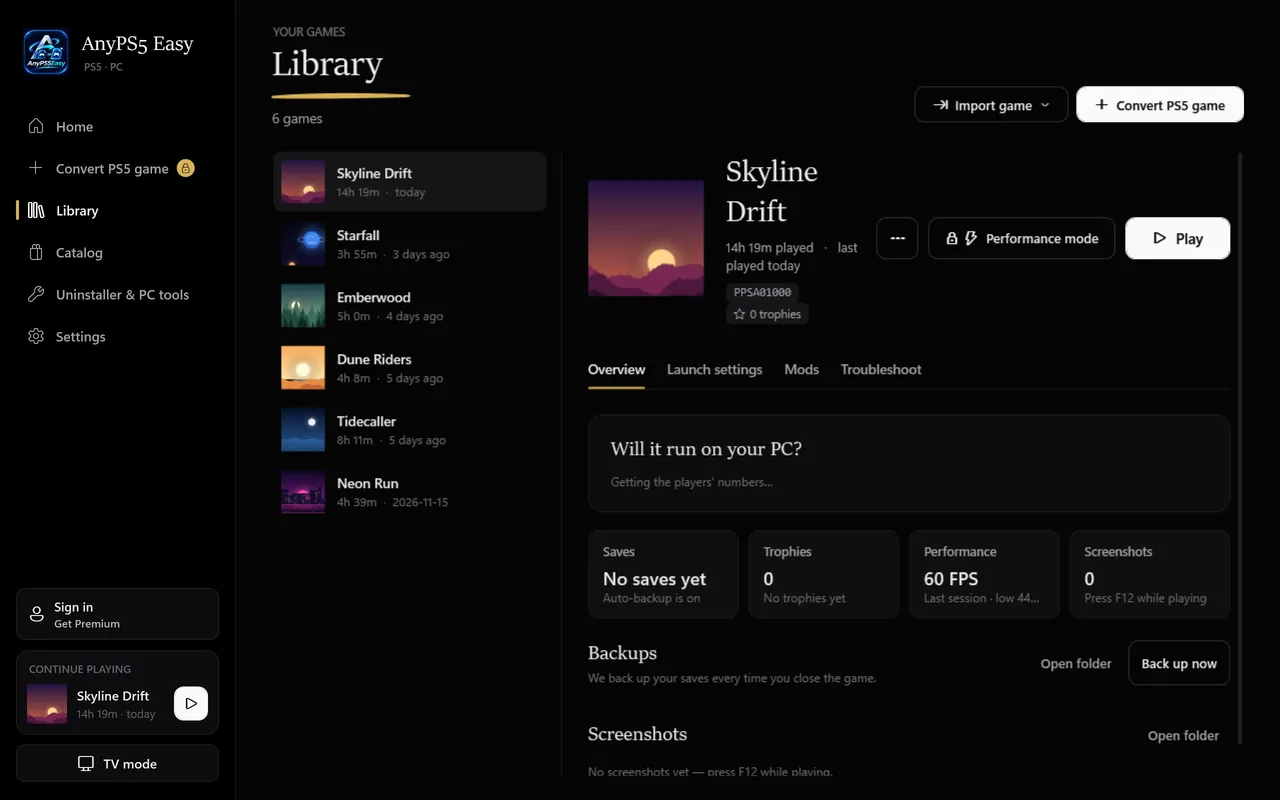
Play!
When it's done, click Play now. The game is in your library with its name and cover, along with Performance mode and Crash Doctor if you need them.
FAQ
Is AnyPS5 Easy a PS5 emulator?
AnyPS5 Easy is an easy front-end for the open-source AnyPS5 engine, which runs PS5 games on Windows. It prepares and launches the game in one click instead of commands and complex settings.
Is it free?
Downloading the app, the library, the catalog and the PC tools are free. Converting and playing PS5 games is part of Premium.
Which games work?
It depends on the game and on your graphics card. Check «Will it run on your PC?» for each game — real numbers from players with a card like yours.
My game crashes — what now?
In the library, open the Troubleshoot tab and use Crash Doctor: it reads the game's log, tells you the cause and fixes it in one click. Need help? Click Contact support in settings.
Download AnyPS5 Easy and start
Download the app for free and try the catalog. When you want to convert PS5 games, Premium unlocks everything.